The Logo, As A Solid Screensaver
The Logo, As A Solid screensaver takes the bouncing DVD logo and puts it in a three-dimensional box, tumbling as it goes and flashing when it strikes an edge or a corner. It runs in the browser with nothing to install; press ESC to exit.
Live preview
Press ESC to leave fullscreen. Settings are saved in your browser only.
How the The Logo, As A Solid screensaver works
The saver renders with three.js on your GPU. The library is vendored into this site rather than fetched from a CDN, and is loaded only when a 3D screensaver actually runs.
It reads nothing external — it is a physics toy rendered with three.js.
The scene resizes with the window and releases its WebGL context when the saver stops, so shuffle mode and Multi-view can cycle 3D savers without exhausting the browser's context limit.
If WebGL is unavailable the saver says so on screen rather than showing an empty black box.
The geometry of a bouncing logo
The bouncing logo was the idle screen on many DVD players, drifting across the picture and reversing direction whenever it met an edge. Like most screensavers, its motion is commonly explained as a way of avoiding screen burn-in from a static image. Its popularity as an object of fascination owes to the rare moment when it lands exactly in a corner, which viewers cheer for.
The motion is a simple case of mathematical billiards. A trick called unfolding shows that a ball bouncing off walls is equivalent to a ball moving in a straight line through a grid of mirrored copies of the room. The ball reaches a corner exactly when that straight line passes through a lattice point, and that depends on the ratio of its two velocity components. For most ratios the line only gets near to corners, and an exact hit needs a rational ratio and the right starting position.
The same reasoning works in three dimensions. A solid box has eight corners, and the line now moves through a lattice of mirrored boxes, so a corner is reached only when the line passes through a vertex. The tumbling and the flash on contact are visual additions, while the underlying bouncing is the same reflection rule.
A worked example
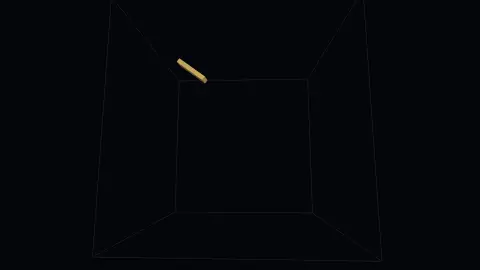
A lit slab moves inside a wireframe cube and reverses on each wall it meets. The saver counts how many axes bounced in the same frame: one is an ordinary wall, two is an edge, and three is the corner everyone waits for. Edges and corners flash the slab white, so the rare event is unmistakable when it finally happens.
Settings & tips
- Accent and Background recolour the scene; Speed changes the pace of both the motion and the camera.
- Add it to a Multi-view grid, though 3D savers are heavier than the 2D ones and a few per screen is plenty.
- Press ESC at any time to leave fullscreen.
Frequently asked questions
- Is a corner hit rarer than in the 2D version?
- Considerably. In two dimensions the logo needs two coordinates to reach a bound together; here it needs three. The wait is the point, and it is a much longer wait.
- Why is there a visible cage?
- So you can see the walls it is bouncing off. Without them the reversals look arbitrary, and half the pleasure is watching it approach a corner and just miss.
- Does this need a special browser or plugin?
- No. It uses WebGL, which every current desktop and mobile browser supports. Nothing is installed and no plugin is required.
- Does it cost anything or need an account?
- No. Every screensaver here is free, runs in the browser and needs no sign-up.
- What is unfolding in billiards?
- Instead of bouncing a ball off a wall, you reflect the room and let the ball continue straight into the mirrored copy. Its path becomes a straight line through a lattice of rooms.
- Why did DVD players bounce a logo?
- Like most screensavers, it is commonly explained as a way to prevent burn-in by keeping a fixed image from sitting on the display.
- Does the 3D version follow the same bounce rule?
- Yes in principle. Hitting a face reverses the velocity component perpendicular to it, just as an edge does in two dimensions, and a corner hit means all three reverse together.