Cataloguing Life Screensaver
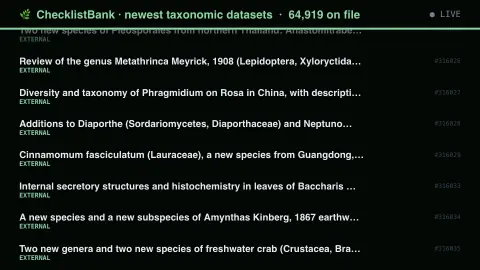
The Cataloguing Life screensaver shows taxonomic checklists newly loaded into ChecklistBank, key-less. The sort is load-bearing and not the obvious one: sortBy=created and sortBy=modified both return 2019 records regardless of direction, and only sortBy=key with reverse surfaces recent loads, because keys are issued in order. Asking for the wrong one fails silently. It's free, runs in your browser, and ESC exits.
Live preview
Press ESC to leave fullscreen. Settings are saved in your browser only.
How the Cataloguing Life screensaver works
The saver reads the source described above and draws it on a canvas — no account, no tracking.
Taxonomic checklists newly loaded into ChecklistBank, key-less. The sort is load-bearing and not the obvious one: sortBy=created and sortBy=modified both return 2019 records regardless of direction, and only sortBy=key with reverse surfaces recent loads, because keys are issued in order. Asking for the wrong one fails silently.
It refreshes on a schedule, so what you see stays current.
Colours can be changed in settings; nothing is stored beyond your own browser.
How taxonomic checklists are catalogued
A taxonomic checklist is a list of the species or other taxa in some group or place, with accepted names, synonyms and often a classification. ChecklistBank is a joint infrastructure of the Catalogue of Life and GBIF for publishing and curating such lists. It holds the data sources behind the Catalogue of Life, mostly global species lists from taxonomic communities, and also hosts national and regional lists and policy-relevant ones such as invasive species lists.
Biologists disagree about how organisms should be split or lumped, so checklists for the same group can legitimately differ. One may treat two forms as separate species, another as a single species with a synonym. Software that matches names across sources relies on checklists to resolve which name means what. ChecklistBank’s data model is built around the Catalogue of Life Data Package format, and published checklists can be searched, browsed, downloaded or reached through an API.
The saver follows datasets most recently loaded into the system. A dataset appearing as new means it has been added to ChecklistBank, not that its species were discovered then. Counts of taxa also depend on how each author handles synonyms and varieties, so sizes are not directly comparable.
A worked example
Taxonomic checklists newly loaded into ChecklistBank, key-less. The sort is load-bearing and not the obvious one: sortBy=created and sortBy=modified both return 2019 records regardless of direction, and only sortBy=key with reverse surfaces recent loads, because keys are issued in order. Asking for the wrong one fails silently.
Settings & tips
- Accent and Background recolour the display.
- Every value on screen comes from the live source — nothing is simulated.
- Press ESC to leave fullscreen.
Frequently asked questions
- Is this real data?
- Yes — it comes from the source named on this page and is refreshed on a schedule.
- Is a key needed?
- No. This source is fully key-less.
- Is it free?
- Yes, and it runs entirely in your browser.
- Does a new dataset mean new species were found?
- No. It means a checklist was added to the platform. The names in it may have been described long ago.
- Why do two checklists give different species counts?
- Taxonomists differ on boundaries and on how to treat synonyms, so counts depend on the authority followed.
- What is ChecklistBank?
- A joint infrastructure of the Catalogue of Life and GBIF for publishing and curating taxonomic checklists, which can be searched, downloaded or accessed through an API.