CDC Weekly Report Screensaver
The CDC Weekly Report screensaver shows headlines from the Morbidity and Mortality Weekly Report, the CDC's own publication of what US public health is observing and doing, gathered key-less by the pipeline. It's free, runs in your browser, and ESC exits.
Live preview
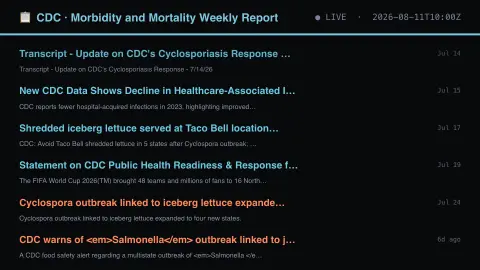
Press ESC to leave fullscreen. Settings are saved in your browser only.
How the CDC Weekly Report screensaver works
The background pipeline reads this from the CDC and saves a snapshot the saver loads.
Headlines from the Morbidity and Mortality Weekly Report, the CDC's own publication of what US public health is observing and doing, gathered key-less by the pipeline..
It refreshes on a schedule, so what you see stays current.
Colours can be changed in settings; nothing is stored beyond your own browser.
About the Morbidity and Mortality Weekly Report
The Morbidity and Mortality Weekly Report, or MMWR, is published by the US Centers for Disease Control and Prevention. The CDC calls it the agency’s primary vehicle for scientific publication of public health information and recommendations, and often the voice of CDC. Its archive reaches back to 1952, and the flagship Weekly appears weekly.
Beyond the Weekly reports, the MMWR family includes Recommendations and Reports, Surveillance Summaries and Supplements, along with infographics, continuing education and lists of notifiable conditions. The reports cover subjects from outbreak investigations and chronic disease trends to vaccination and injuries. The audience is mainly physicians, nurses, public health practitioners, epidemiologists, researchers and laboratorians, so the writing is technical.
A headline on this display is the agency’s description of a report, not medical guidance, and the saver does not summarise the findings. Reports describe a specific place, population and time, and later work can refine them. Publication follows the agency’s schedule, so the displayed date is when the item was published.
A worked example
Headlines from the Morbidity and Mortality Weekly Report, the CDC's own publication of what US public health is observing and doing, gathered key-less by the pipeline.
Settings & tips
- Accent and Background recolour the display.
- Run
automation/run.py cdcmmwrto refresh the feed. - Press ESC to leave fullscreen.
Frequently asked questions
- Is this real data?
- Yes — it comes from the CDC and is refreshed on a schedule.
- Is a key needed?
- No. This source is fully key-less.
- Is it free?
- Yes — free, no download, in your browser.
- Who reads the MMWR?
- Mainly physicians, nurses, public health practitioners, epidemiologists and other researchers, according to the CDC.
- Is the information medical advice?
- No. It reports on population-level findings. For personal health questions, speak to a qualified clinician.