Wikisource Edits Screensaver
The Wikisource Edits screensaver shows live edits to Wikisource, where volunteers proofread and correct scanned pages of real published works, read key-less from the MediaWiki API. It's free, runs in your browser, and ESC exits.
Live preview
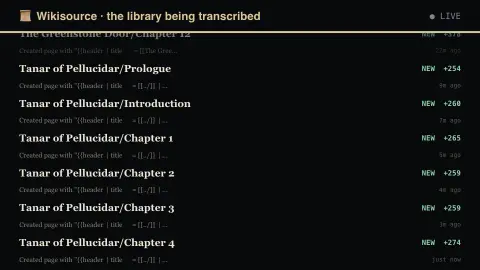
Press ESC to leave fullscreen. Settings are saved in your browser only.
How the Wikisource Edits screensaver works
The saver reads the Wikisource MediaWiki API directly in your browser — no key and no account.
Live edits to Wikisource, where volunteers proofread and correct scanned pages of real published works, read key-less from the MediaWiki API..
It refreshes on a schedule, so what you see stays current.
Colours can be changed in settings; nothing is stored beyond your own browser.
How Wikisource turns scans into text
Wikisource is a Wikimedia Foundation project, a free library of source texts that are in the public domain or legally available for free redistribution. It exists in many languages, each with its own community. Unlike Wikipedia, its goal is not to summarise a work but to reproduce it faithfully.
Much of the work happens on scanned pages. The Proofread Page extension shows the page image beside an editable text box, so a volunteer can correct the text against the scan. Each page has a status. Not proofread is the default. Proofread means one contributor has made the text match the scan. Validated means a second contributor has checked it. Problematic and without text cover special cases, and the same person cannot both proofread and validate a page.
The edits on screen are the site’s recent changes feed. That means you see a mix of human proofreading, formatting fixes, new transcriptions and routine tidy-ups, and some edits may be by automated accounts. A burst of activity on one title usually means one person is working through a book. The feed shows that something was changed, and it does not tell you whether the change was correct.
A worked example
Live edits to Wikisource, where volunteers proofread and correct scanned pages of real published works, read key-less from the MediaWiki API.
Settings & tips
- Accent and Background recolour the display.
- Data comes straight from the Wikisource MediaWiki API in your browser.
- Press ESC to leave fullscreen.
Frequently asked questions
- Is this real data?
- Yes — it comes from the Wikisource MediaWiki API and is refreshed on a schedule.
- Is a key needed?
- No. This source is fully key-less.
- Is it free?
- Yes — free, no download, in your browser.
- What do the proofreading stages mean?
- A page starts as not proofread. It becomes proofread once one contributor has made the text match the scan, and validated once a second contributor has checked it. Problematic marks pages needing further work or discussion.
- Who can validate a page?
- A different logged-in contributor from the one who proofread it. You cannot both proofread and validate the same page, and anonymous editors cannot change page status.