Warp Starfield Screensaver
The Warp Starfield screensaver flies a camera through a real volume of stars, so near stars sweep past the edge of the frame while distant ones barely shift. It runs in the browser with nothing to install; press ESC to exit.
Live preview
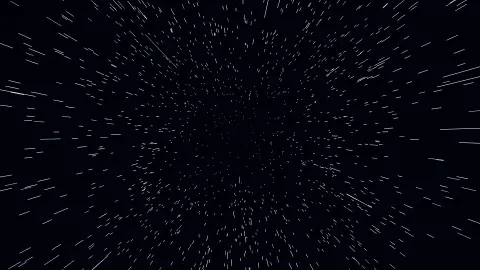
Press ESC to leave fullscreen. Settings are saved in your browser only.
How the Warp Starfield screensaver works
The saver renders with three.js on your GPU. The library is vendored into this site rather than fetched from a CDN, and is loaded only when a 3D screensaver actually runs.
It reads nothing external — the field is generated in the browser and rendered with three.js.
The scene resizes with the window and releases its WebGL context when the saver stops, so shuffle mode and Multi-view can cycle 3D savers without exhausting the browser's context limit.
If WebGL is unavailable the saver says so on screen rather than showing an empty black box.
Parallax and the illusion of speed
The impression of flying through stars rests on parallax, the apparent shift of nearer objects against a distant background when your viewpoint moves. Drive past a fence and a distant mountain, and the fence flashes by while the mountain barely seems to move. The same rule is why, in a starfield, close points slide quickly toward the edges of the screen while faraway ones creep.
A flat sprite effect can fake the look by scaling dots outward from the centre, but a three-dimensional volume does it more convincingly: every star has a real position, the camera moves, and perspective projection does the rest. Dividing by depth is the core operation, so nearer stars map to larger offsets on screen. Stars that pass behind the camera can be recycled to the far end of the volume, creating an endless supply.
Real stars are nowhere near this close together. The nearest star to the Sun, Proxima Centauri, is about 4.25 light-years away, so a spacecraft moving at any speed we can build would see the stars' positions change very little. The warp look is stylised, a screen idea inherited from science-fiction films and classic computer graphics demonstrations.
A worked example
Around 2,600 stars fill a volume 900 units deep. At speed each is drawn as a line from where it was to where it is, so its streak length is exactly how far it travelled during that frame — which is what a camera shutter records. The warp eases in and out rather than running flat, and about a fifth of the stars are tinted toward the accent colour, because a real field has a spread of colour temperature.
Settings & tips
- Accent and Background recolour the scene; Speed changes the pace of both the motion and the camera.
- Add it to a Multi-view grid, though 3D savers are heavier than the 2D ones and a few per screen is plenty.
- Press ESC at any time to leave fullscreen.
Frequently asked questions
- Why does this need 3D?
- Because the effect is parallax. A 2D starfield fakes depth by growing dots as they approach; that gives no sense of passing between things. With real positions, a star close to the camera crosses the whole frame in a moment while a distant one creeps, and the eye reads that difference as speed.
- Is this real star data?
- No — this field is generated. Several other screensavers here do plot real catalogues, including one that ranks the genuinely brightest stars by measured magnitude.
- Does this need a special browser or plugin?
- No. It uses WebGL, which every current desktop and mobile browser supports. Nothing is installed and no plugin is required.
- Does it cost anything or need an account?
- No. Every screensaver here is free, runs in the browser and needs no sign-up.
- What is parallax?
- It is the apparent shift in the position of an object when seen from two different viewpoints. Nearer objects appear to shift more than distant ones.
- Why do stars seem to streak?
- Points moving quickly across the screen are drawn over a short trail or blurred, and speed on screen increases for stars closer to the camera.
- Would a real starship see this?
- Not at ordinary speeds. The nearest star is about 4.25 light-years away, so star positions would barely change for a very long time.