Spinning Globe Screensaver
The Spinning Globe screensaver is a slowly rotating 3D Earth rendered from a real NASA Blue Marble satellite texture, lit from one side and wrapped in a soft atmospheric glow. The continents and oceans you see are the actual surface of the planet, mapped onto a sphere that turns continuously. It is completely free, runs right in your browser with no download, and you press ESC to exit at any time.
Live preview
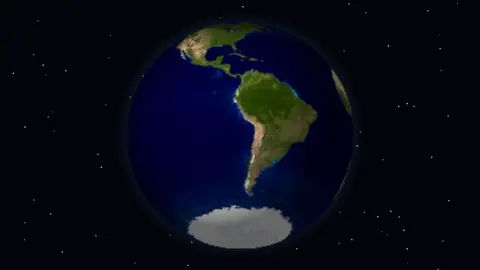
Press ESC to leave fullscreen. Settings are saved in your browser only.
How the Spinning Globe screensaver works
The globe loads a bundled image, assets/img/earth.jpg (the NASA Blue Marble), and reads its raw pixels into memory. Because the texture ships with the page, the screensaver does not need an internet connection to run.
Every frame it renders the sphere pixel by pixel into an offscreen canvas. For each point on the visible disc it computes the surface normal, then unrotates that direction by the current spin and axial tilt to recover a latitude and longitude. That lat/long is converted to texture coordinates so the correct piece of the Earth map is sampled.
A simple directional light is applied: the dot product of each surface normal with a fixed light vector controls brightness, so one hemisphere is lit and the other falls into shadow. A floor of 0.34 keeps the night side faintly visible, and the whole image is brightened slightly so continents and oceans read clearly.
Behind the planet, a field of ninety static stars and an optional radial atmosphere glow are drawn, and the spin angle advances each frame in proportion to the Speed setting.
The Blue Marble and how it was made
The Blue Marble name comes from a photograph of Earth taken by the Apollo 17 crew on 7 December 1972, one of the most reproduced images in history. NASA later applied the title to composite images built from satellite data. A 2002 version used the Terra satellite and stitched together four months of observations into a seamless, photo-like mosaic at up to 1 km per pixel.
The 2005 release, Blue Marble: Next Generation, drew mostly on the MODIS instrument aboard NASA’s Terra and Aqua satellites. It provides a full year of monthly views for 2004 at up to 500 m per pixel, twice the detail of the original, and uses an automated technique to find and remove cloud-contaminated data. That explains why the land looks so clear: it is an assembled surface and not a snapshot, and it shows land and ocean as they typically appeared over a period and not at a single moment.
Wrapping a flat image onto a sphere is a standard graphics task, and it hides a distortion. In the usual equirectangular layout every row of the image has the same width, so near the poles the picture is stretched sideways and holds far more pixels per square kilometre than at the equator. Mapped onto a sphere, that stretching is undone, which is why polar regions look correct on the globe but exaggerated on the flat image.
A worked example
With the defaults — Spin speed 4, Axial tilt on, Atmosphere on, and a Space color of #03040a — Earth turns at a calm, readable pace with its axis leaned over by about 0.41 radians, just like the real planet. The blue atmospheric halo rings the disc and the near-black space fades to stars at the edges. Turn Axial tilt off and the globe stands almost upright; push Spin speed to 10 for a noticeably faster rotation.
Settings & tips
- Use the Spin speed slider (1–10) to set the pace; 1 is a barely-there drift, 10 is a brisk spin.
- Toggle Axial tilt off for an upright, head-on globe, or leave it on for the realistic leaned-over look.
- Turn Atmosphere off and darken the Space color for a starker, planet-against-the-void feel.
Frequently asked questions
- Is the spinning globe screensaver free?
- Yes. The Spinning Globe screensaver is completely free, with no account or download required. It runs in your web browser and you press ESC to exit.
- Does the spinning globe use a real image of Earth?
- Yes. It maps a real NASA Blue Marble satellite texture onto the rotating sphere, so the continents, oceans and ice you see are the actual surface of the planet.
- Does the spinning globe screensaver need an internet connection?
- No. The Earth texture is bundled with the page, so the globe renders entirely offline once the screensaver has loaded.
- Can I change how fast the globe spins?
- Yes. A Spin speed slider runs from 1 to 10, so you can set anything from a slow, meditative drift to a brisk rotation.
- Why is one side of the globe darker?
- A fixed directional light shades the sphere so one hemisphere is lit and the other falls into shadow, giving the planet a realistic, three-dimensional look.
- Is this a real photograph of Earth?
- No. It is a composite of satellite observations wrapped onto a sphere. NASA’s Blue Marble images are mosaics assembled from many observations, so they show a typical view and not a single moment.
- Where does the Blue Marble name come from?
- From a photograph taken by the Apollo 17 crew on 7 December 1972. NASA later reused the name for composite images made from satellite data.
- Why are there so few clouds?
- The Next Generation Blue Marble uses an automated technique to find and remove cloud-contaminated data, so the surface shows through.