Trending AI Models Screensaver
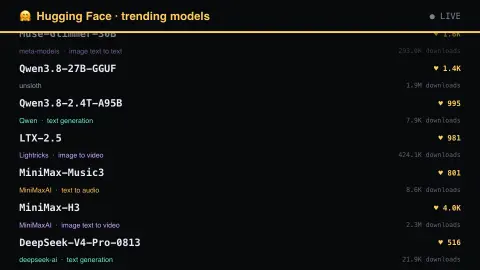
The Trending AI Models screensaver shows the models actually being downloaded and starred on Hugging Face, read key-less from its own API, coloured by what each one does — vision, audio, text or something else. It's free, runs in your browser, and ESC exits.
Live preview
Press ESC to leave fullscreen. Settings are saved in your browser only.
How the Trending AI Models screensaver works
The saver reads the Hugging Face API directly in your browser — no key and no account.
The models actually being downloaded and starred on Hugging Face, read key-less from its own API, coloured by what each one does — vision, audio, text or something else..
It refreshes on a schedule, so what you see stays current.
Colours can be changed in settings; nothing is stored beyond your own browser.
The Hugging Face Hub as a model library
Hugging Face runs a hosting platform known as the Hub, where researchers, companies and hobbyists publish machine-learning models, datasets and demos. A model repository holds weights, configuration files and a README that serves as the model card. Hugging Face's documentation says a model card should describe the model, its intended uses and potential limitations, the training parameters, the datasets used and its evaluation results.
The colours group models by pipeline tag, a field in the model card metadata that indicates the type of task the model is intended for, such as text generation or image classification. For models from the transformers library the tag is inferred automatically from the config file, though authors can override it. The metadata can also name a base model and whether a repository is a fine-tune, adapter, quantised copy or merge, so many popular repositories are derivatives of a smaller set of base models.
Downloads are a count of requests, not of users or quality. The Hub counts every HTTP request, GET or HEAD, to a designated query file such as config.json, and its own documentation notes that CI/CD traffic is included and that unique downloaders are not deduplicated. A high count therefore says little about safety, licence terms or fit for your task.
A worked example
The models actually being downloaded and starred on Hugging Face, read key-less from its own API, coloured by what each one does — vision, audio, text or something else.
Settings & tips
- Accent and Background recolour the display.
- Data comes straight from the Hugging Face API in your browser.
- Press ESC to leave fullscreen.
Frequently asked questions
- Is this real data?
- Yes — it comes from the Hugging Face API and is refreshed on a schedule.
- Is a key needed?
- No. This source is fully key-less.
- Is it free?
- Yes — free, no download, in your browser.
- Does a high download count mean a model is good?
- No. The Hub counts HTTP requests to a query file, including automated and repeated ones, so downloads reflect usage and convenience more than quality.
- What is a pipeline tag?
- A field in the model card metadata that says what task the model is intended for, such as text generation or image classification. It is what the colour grouping is based on.
- Why are many popular models small or older?
- Small models are cheap to run and are often fetched repeatedly by automated workflows, and every such request counts as a download.