Tesseract Screensaver
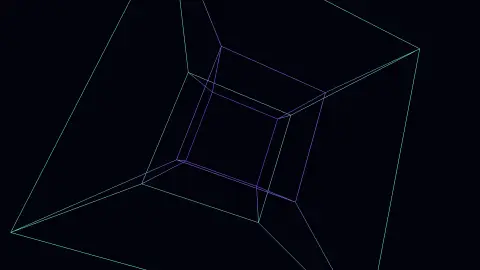
The Tesseract screensaver rotates a four-dimensional cube in two independent planes at once and projects it into three dimensions, then onto your screen. It runs in the browser with nothing to install; press ESC to exit.
Live preview
Press ESC to leave fullscreen. Settings are saved in your browser only.
How the Tesseract screensaver works
The saver renders with three.js on your GPU. The library is vendored into this site rather than fetched from a CDN, and loads only when a 3D screensaver actually runs.
It reads nothing external — the sixteen vertices and thirty-two edges are generated in the browser.
The scene resizes with the window and releases its WebGL context when the saver stops, so shuffle mode and Multi-view can cycle 3D savers without exhausting the browser's context limit.
If WebGL is unavailable the saver says so on screen rather than showing an empty black box.
Seeing a fourth dimension by its shadow
A tesseract is the four-dimensional analogue of a cube, also called a hypercube or an 8-cell. A square has four corners and a cube has eight; a tesseract has sixteen vertices, thirty-two edges, twenty-four square faces and eight cubic cells. The Oxford English Dictionary traces the word to Charles Howard Hinton's 1888 book A New Era of Thought, where he spelled it differently; he used the modern spelling in The Fourth Dimension in 1904.
No one can see in four spatial dimensions, so we use projection, the same trick that turns a cube into a flat drawing. A perspective projection to three dimensions gives the familiar picture of a small cube nested in a larger one, joined by edges. A rotation in four dimensions turns the object about a plane, not an axis, and a double rotation turns it about two orthogonal planes at once, which makes the shape appear to turn inside out.
Remember that the picture is a shadow, and shadows distort. The cubes at the edges of the figure look squashed or tilted but are all the same size in the real object. Lengths and angles are not preserved by the projection, which is the same reason a cube drawn on paper does not show right angles.
A worked example
The sixteen vertices are every combination of plus and minus one in four coordinates, and an edge joins any two differing in exactly one — thirty-two of them. Rotation happens in the xw and yz planes simultaneously, then the point is projected from 4D to 3D by dividing by its distance along the fourth axis, exactly as a 3D scene is projected onto a flat screen. Colour tracks position on that unseen axis, since the eye has no other cue for it.
Settings & tips
- Accent and Background recolour the scene; Speed changes the pace of the motion and the camera.
- Add it to a Multi-view grid, though 3D savers are heavier than 2D ones and a few per screen is plenty.
- Press ESC at any time to leave fullscreen.
Frequently asked questions
- Why does the inner cube turn inside out?
- It does not. Nothing is stretching or passing through anything. Parts of the object are simply moving further away along an axis we cannot perceive, and the perspective division makes them appear to shrink and pass through the rest.
- Is a tesseract a real object?
- It is a real mathematical object, defined as precisely as a cube, but it cannot exist in three-dimensional space. What you see is a shadow of it — the same way a cube casts a two-dimensional shadow.
- Does this need a special browser or plugin?
- No. It uses WebGL, which every current desktop and mobile browser supports. Nothing is installed and no plugin is required.
- Does it cost anything or need an account?
- No. Every screensaver here is free, runs in the browser and needs no sign-up.
- How many corners does a tesseract have?
- Sixteen vertices, joined by thirty-two edges. It has twenty-four square faces and is bounded by eight cubes.
- What is a rotation in four dimensions?
- Rotation happens in a plane, not around an axis. A double rotation turns the object in two orthogonal planes at once, and this is what the saver shows.
- Why do the nested cubes look different sizes?
- In a perspective projection, parts that are further away along the fourth direction are drawn smaller, much as distant edges of a cube drawing appear smaller.