Lyrics, One Line At A Time Screensaver
The Lyrics, One Line At A Time screensaver shows a few lines of a song at once, advancing at reading pace, cycling through a curated set of well-known tracks. It runs in the browser with nothing to install; press ESC to exit.
Live preview
Press ESC to leave fullscreen. Settings are saved in your browser only.
How the Lyrics, One Line At A Time screensaver works
The saver reads lyrics.ovh, a community lyrics service, key-free.
No account and no key: the request goes straight from your browser, or from this site's own refreshed copy of the feed where the source does not permit browser access.
Values are drawn on a canvas that resizes with the window, so it works on a laptop or a wall display.
If the source is unreachable the saver says so on screen rather than showing stale numbers as though they were current.
Lyrics, copyright and quoting
A song has several layers of rights. The words and music are usually owned by the songwriters or their publishers as a composition, while the recording belongs to the performer or label. Lyrics are generally protected by copyright as written works, so displaying them in full without permission is not free of rules, and licensing arrangements exist for showing lyrics on websites and in apps.
Services that gather lyrics online are often community-contributed, and they differ in how accurate they are. Transcriptions made by ear can contain mistakes, variant wordings between live and studio versions, or unofficial edits, and line breaks do not always match how a song is phrased. A saver that shows lines one at a time is displaying whatever the service returns, so quality depends on that source.
Reading pace differs from singing pace: a line read in silence loses the rhythm, melody and emphasis a performer gives it. Songs therefore read differently on screen. Repetition in choruses can look heavier, and a lyric that works through sound can look plain on its own, which is why a good song does not always make good text.
A worked example
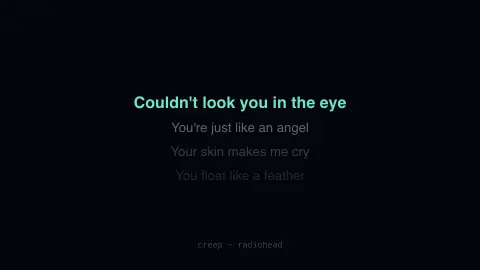
Four lines are on screen at any moment: the current one bright and centred, the next three receding. The song and artist sit at the bottom. Words arrive at reading pace rather than singing pace, which is why a line heard four hundred times reads differently in silence with nothing else on the screen.
Settings & tips
- Accent and Background recolour the display without changing the data.
- Add it to a Multi-view grid to watch it alongside other live savers.
- Press ESC at any time to leave fullscreen.
Frequently asked questions
- Who owns these lyrics?
- The songwriters and their publishers. The service that provides them holds no rights, so this shows a few lines at a time as quotation rather than reproducing complete songs.
- Can I choose the songs?
- Not currently — the saver rotates a fixed list. The colour settings change how it looks without changing the selection.
- Is this real data?
- Yes. It comes from lyrics.ovh, a community lyrics service, key-free. Nothing is invented or simulated, and if the source cannot be reached the saver reports that instead of drawing something plausible.
- Does it cost anything or need an account?
- No. Every screensaver here is free, runs in the browser and needs no sign-up. This one uses a public API that requires no key.
- Why might a lyric be incorrect?
- Lyrics are often user-submitted and transcribed by ear, so mishearings, variant versions and typos can appear.
- Are lyrics protected by copyright?
- Generally yes. Lyrics are usually protected as written works, owned by the songwriter or publisher, separately from the rights in the recording. The details vary by country.
- Why do some songs look weak when read?
- A lyric is written to be heard with melody and rhythm, so on its own it can seem repetitive or sparse.