RSS Feed Board Screensaver
The RSS Feed Board screensaver shows real headlines from a configured RSS or Atom feed on a mechanical-style split-flap board. It's free, runs in your browser, and ESC exits.
Live preview
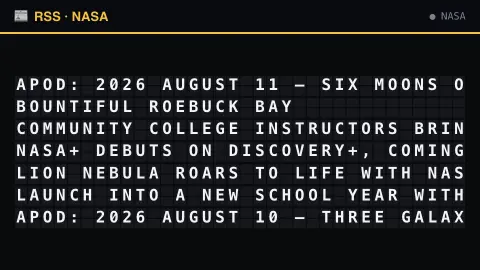
Press ESC to leave fullscreen. Settings are saved in your browser only.
How the RSS Feed Board screensaver works
The background pipeline reads a configured RSS or Atom feed and saves the latest headlines.
The board's tiles riffle through random letters before settling on each real headline, row by row.
The whole board refreshes every few minutes, so tiles clatter through a fresh update as new headlines arrive.
Board size (rows and columns) is adjustable, and a click sound can be switched on in settings.
Behind the split-flap board
A split-flap display shows characters on a set of flaps that flip one after another until the wanted character appears. Boards of this kind, often called Solari boards after the Italian maker Solari di Udine, were common from the 1960s to the 1990s, mostly showing departures and arrivals at railway stations and airports, and they were noted for their metallic clatter. Here the mechanical effect is imitated on a canvas, with each tile cycling through letters before landing on the right one.
The text itself comes from RSS or Atom, two standard formats for syndicating content. A feed is an XML file listing recent items, each typically with a title, a link, a date and often a summary. Any site or blog can publish one, and feed readers can poll it to learn about new posts without visiting the page.
A board of fixed width has to deal with long headlines by shortening or breaking them, so what you see may be an abbreviated form of the original title. Feeds are controlled by their publishers, who decide how many items to include and how often to change them, and a headline can be edited or retracted after it was fetched. The board is a rolling window on a single source, and not a ranking of importance.
A worked example
A real headline clatters into place letter by letter, then the next row starts riffling while the first sits still — exactly like an old airport board updating its gates, just showing whatever the configured feed published most recently.
Settings & tips
- Board width/height resize the grid.
- Flap click sound adds the mechanical clatter (off by default).
- The featured feed is set by the site's pipeline.
Frequently asked questions
- Can I use my own feed?
- The featured feed is configured by the site's pipeline, not chosen in your browser — the same approach used for the site's other single-source social boards.
- How often does it update?
- The board refreshes every few minutes as the pipeline gathers new headlines.
- Is a key needed?
- No — RSS and Atom feeds are read key-less.
- Is it free?
- Yes — free, no download, in your browser.
- What is the difference between RSS and Atom?
- Both are XML syndication formats. Atom was developed later and is defined as an IETF standard (RFC 4287), while RSS exists in several versions. Feed readers usually support both.
- Why do some headlines appear shortened?
- Split-flap boards have a fixed number of character cells per row, so long titles need to be cut to fit.