Every Institution Has An Id Screensaver
The Every Institution Has An Id screensaver shows institutions from the Research Organization Registry, key-less. The v2 schema is not the one most examples show: there is no name field and no country field — names are a list of objects where the display name is tagged ror_display, and the country sits under locations geonames details. Reading v1 field names against a v2 response yields null everywhere rather than an error. It's free, runs in your browser, and ESC exits.
Live preview
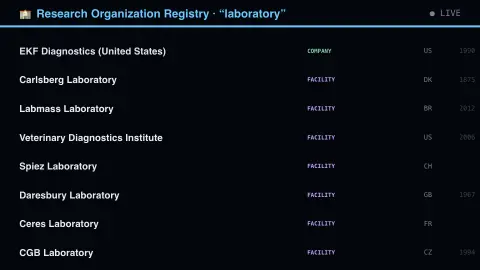
Press ESC to leave fullscreen. Settings are saved in your browser only.
How the Every Institution Has An Id screensaver works
The saver reads the source described above and draws it on a canvas — no account, no tracking.
Institutions from the Research Organization Registry, key-less. The v2 schema is not the one most examples show: there is no name field and no country field — names are a list of objects where the display name is tagged ror_display, and the country sits under locations geonames details. Reading v1 field names against a v2 response yields null everywhere rather than an error.
It refreshes on a schedule, so what you see stays current.
Colours can be changed in settings; nothing is stored beyond your own browser.
What the Research Organization Registry is for
The Research Organization Registry, usually shortened to ROR, is an open registry of persistent identifiers for research organisations: universities, hospitals, funders, laboratories and companies that do research. It is run by the ROR community, and its repositories sit under the ror-community organisation on GitHub. Each record has a unique ROR ID in the form of a full URL such as https://ror.org/02jx3x895, much as researchers have ORCID iDs and papers have DOIs. The point is disambiguation: without an identifier, one university can appear under an abbreviation, a translated name, a historical name or a misspelling in different databases.
A ROR record carries more than a name. In the v2 schema it holds a list of names (labels, aliases and acronyms, with one marked as the display name), organisation types, a status, domains, links to a website and Wikipedia, and the year established. Locations are given as GeoNames IDs with details filled in automatically, and external IDs can cross-reference other systems such as Wikidata, ISNI, GRID and the Crossref Funder Registry.
Publishers, repositories and funders use the IDs to match authors’ affiliations consistently, which makes it possible to count outputs per institution reliably. The registry is curated, so coverage is broad but not perfect, and organisations merge, split or rename over time.
A worked example
Institutions from the Research Organization Registry, key-less. The v2 schema is not the one most examples show: there is no name field and no country field — names are a list of objects where the display name is tagged ror_display, and the country sits under locations geonames details. Reading v1 field names against a v2 response yields null everywhere rather than an error.
Settings & tips
- Accent and Background recolour the display.
- Every value on screen comes from the live source — nothing is simulated.
- Press ESC to leave fullscreen.
Frequently asked questions
- Is this real data?
- Yes — it comes from the source named on this page and is refreshed on a schedule.
- Is a key needed?
- No. This source is fully key-less.
- Is it free?
- Yes, and it runs entirely in your browser.
- What is a ROR ID?
- It is a persistent identifier for one organisation, written as a full URL on the ror.org domain. It is meant to stay the same as an identifier for the organisation even if its name changes.
- Why does an institution show several names?
- Real organisations have official names, acronyms, translations and former names. ROR records list names, aliases and acronyms together, with one marked as the display name, so that systems can recognise any of them as the same body.
- Does ROR include every research organisation?
- No. It is a curated registry, so some small or new bodies may be missing, and records change as organisations merge, split or rename.