The Internet Going Dark Screensaver
The The Internet Going Dark screensaver shows connectivity outage alerts from IODA at Georgia Tech, read live and key-less. It’s free, runs in your browser, and ESC exits.
Live preview
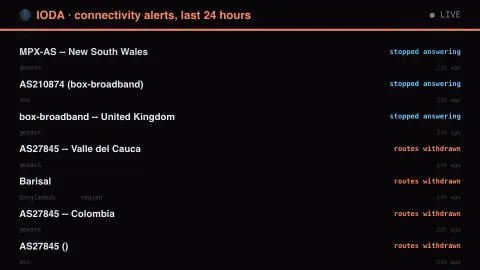
Press ESC to leave fullscreen. Settings are saved in your browser only.
How the The Internet Going Dark screensaver works
The saver reads the source described above and draws it on a canvas — no account, no tracking.
Connectivity outage alerts from IODA at Georgia Tech, read live and key-less. It watches routing, ping response and background internet noise separately. An alert is a measurement — cable faults, storms, power cuts and shutdowns all look alike from outside.
It refreshes on a schedule, so what you see stays current.
Colours and any options can be changed in settings; nothing is stored beyond your own browser.
How outages are inferred from the outside
IODA, the Internet Outage Detection and Analysis system, is a research project run at the Georgia Institute of Technology; its prototype was built at CAIDA and the service moved to Georgia Tech in 2021. It aims to spot large-scale outages from the outside, those that significantly affect a network (an autonomous system) or a large fraction of a country, without access to the networks involved.
It combines three independent signals. BGP routing data from around 500 monitors in the RouteViews and RIPE RIS projects shows which network blocks are still reachable. Active probing sends ICMP packets to much of the routable IPv4 space to infer when a /24 block has stopped responding. And internet background radiation, the unsolicited traffic seen by a network telescope watching a large unused address block, tends to fall when many sources go offline.
Agreement between signals raises confidence, but none of them reveals cause. A drop can come from a power failure, a cable cut, a storm, a technical fault or a deliberate shutdown, and IODA does not say which. The display shows what was inferred and when, not who is responsible.
A worked example
Connectivity outage alerts from IODA at Georgia Tech, read live and key-less. It watches routing, ping response and background internet noise separately. An alert is a measurement — cable faults, storms, power cuts and shutdowns all look alike from outside.
Settings & tips
- Accent and Background recolour the display.
- Every value on screen comes from the live source — nothing is simulated.
- Press ESC to leave fullscreen.
Frequently asked questions
- Is this real data?
- Yes — it comes from the source named on this page and is refreshed on a schedule.
- Is a key needed?
- No. This source is fully key-less.
- Is it free?
- Yes, and it runs entirely in your browser.
- Can IODA tell whether an outage was deliberate?
- No. It detects that connectivity fell, not why, and attributing a cause needs reporting or evidence from outside the measurements.
- What does IODA measure?
- Three signals: BGP routing visibility, active probing of address blocks, and unsolicited background traffic seen by a network telescope. Its alerts come from combining them.