Data Breach Ledger Screensaver
The Data Breach Ledger screensaver scrolls through real major publicly reported data breaches, with the real company, real date and real number of accounts affected, pulled live from a public breach-tracking database. It is free, runs in your browser, and ESC exits.
Live preview
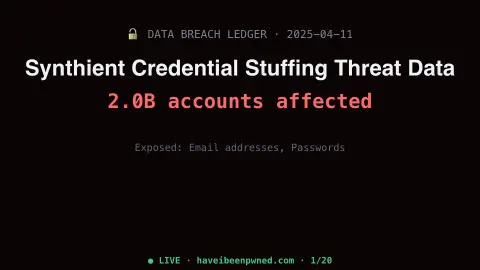
Press ESC to leave fullscreen. Settings are saved in your browser only.
How the Data Breach Ledger screensaver works
The saver fetches a real, publicly documented list of major data breaches from a well-known breach-tracking service.
Each entry shows the real organization, real breach date and real number of accounts affected, where reported.
Entries rotate through the list so recent and historic real breaches both surface.
No key is required — the breach list is a free, public, key-less feed.
How breach records are compiled
Data breach trackers such as Have I Been Pwned (HIBP) catalogue incidents in which data was exposed to people who should not have been able to see it. Before a breach is made searchable, HIBP checks its legitimacy, for example whether the affected service has acknowledged it, whether the data appears elsewhere online, and whether its structure looks like a real breach. The site also flags unverified, fabricated and other special categories separately, and its records let individuals check whether their email address appears in leaked data.
Counts of accounts are not counts of people, since one person may hold several accounts. A single entry can also carry more than one date, such as when an intrusion happened, when the data surfaced and when the organisation announced it, so dates from different sources may not match.
This is a list of what became public, which is only a subset of all incidents. Some breaches are never disclosed, and HIBP keeps its sensitive breaches out of public search because being listed could harm someone. Treat the ledger as a record of past events, not a live feed of current attacks. It is no substitute for checking your own accounts through a service built for that purpose, and the screensaver itself does not know whether you were affected.
A worked example
A well-known real breach affecting tens of millions of accounts appears with its real disclosed date and real affected-account count, exactly as publicly reported.
Settings & tips
- Accent recolours the ledger.
- All entries are real, publicly disclosed breaches, not estimates.
- This is an awareness tool, not a personal exposure checker.
Frequently asked questions
- Is this real breach data?
- Yes — every entry is a real, publicly documented data breach from a public tracking service.
- Does it check if I was affected?
- No — it only displays the real public ledger of organizations breached, not individual exposure.
- Is a key needed?
- No. The feed is free and key-less.
- Is it free?
- Yes — free, no download, in your browser.
- How are breaches checked before they are listed?
- Have I Been Pwned looks at factors such as whether the affected service has acknowledged the breach, whether the data appears elsewhere online, and whether its structure looks like a real breach.
- Why do breach dates and disclosure dates differ?
- Organisations often discover intrusions after they occur, and public disclosure can come later still. Different sources record different points on that timeline.
- Does every breach appear in public search?
- No. Have I Been Pwned excludes sensitive breaches from public search, because being listed could harm the people involved.