Extruded Text Screensaver
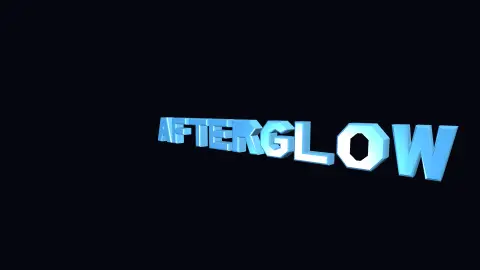
The Extruded Text screensaver turns a word into real three-dimensional geometry — extruded, bevelled and lit — and rotates it so the highlights travel across the chamfered edges. It runs in the browser with nothing to install; press ESC to exit.
Live preview
Press ESC to leave fullscreen. Settings are saved in your browser only.
How the Extruded Text screensaver works
The saver renders with three.js on your GPU. The library is vendored into this site rather than fetched from a CDN, and is loaded only when a 3D screensaver actually runs.
It reads nothing external — the letterforms are defined in the saver itself, so there is no font to download.
The scene resizes with the window and releases its WebGL context when the saver stops, so shuffle mode and Multi-view can cycle 3D savers without exhausting the browser's context limit.
If WebGL is unavailable the saver says so on screen rather than showing an empty black box.
Making letters into solid shapes
Turning flat text into a three-dimensional shape takes several steps. A font describes each letter as outlines made of straight lines and curves. Those outlines are converted into a polygon, and the polygon is extruded by copying it to a second plane and joining the two with side walls, giving the letter depth. Bevelling then adds small angled faces at the edges in place of a sharp right angle.
Light is what reveals the geometry. Each face has a surface normal, a direction perpendicular to it, and the shading depends on the angle between that normal and the light. A flat front face is evenly lit, whereas a bevel faces an in-between direction and so can catch highlights as the object turns. Without the bevel, the edges would show as a hard line and the shape would look paper-thin.
Libraries such as three.js include a TextGeometry class that builds extruded text from a font in its typeface JSON format, with options for depth, bevel and the number of curve segments. More curve segments give smoother letters but more triangles, so these settings trade realism against the load on the graphics card. This saver defines its letterforms itself rather than loading a font.
A worked example
Each letter is built from polygon outlines, extruded to give it depth, then bevelled so the edge between the face and the side is a chamfer rather than a hard corner. That chamfer is why it reads as solid: it catches a moving highlight that a flat letter cannot. The word rocks rather than spinning, so the light sweeps back and forth across the bevels.
Settings & tips
- Accent and Background recolour the scene; Speed changes the pace of both the motion and the camera.
- Add it to a Multi-view grid, though 3D savers are heavier than the 2D ones and a few per screen is plenty.
- Press ESC at any time to leave fullscreen.
Frequently asked questions
- Why not use a font file?
- Because it would be another download and another licence to honour. The glyphs here are simple polygon outlines defined in the saver — blocky, in the spirit of the era, and free of both problems.
- Can I change the text?
- The saver reads a text setting, and letters it does not have an outline for are skipped. The built-in set covers the common capitals.
- Does this need a special browser or plugin?
- No. It uses WebGL, which every current desktop and mobile browser supports. Nothing is installed and no plugin is required.
- Does it cost anything or need an account?
- No. Every screensaver here is free, runs in the browser and needs no sign-up.
- What is a surface normal?
- It is a vector that points straight out of a surface. Lighting calculations compare it with the direction of the light to decide how bright each point should be.
- Why do the bevels catch highlights?
- They are angled between the front and side faces, so as the text rotates their normals can line up closely with the light and reflect it strongly.