Wiktionary Edits Screensaver
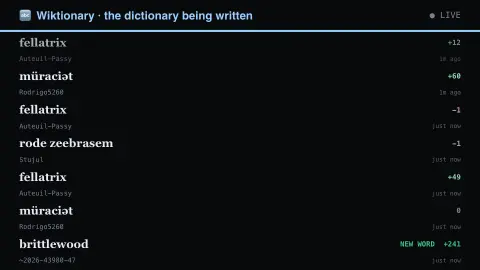
The Wiktionary Edits screensaver shows live edits to Wiktionary — someone adding or correcting a word entry right now, in any of the languages it documents. Read key-less from the MediaWiki API. It's free, runs in your browser, and ESC exits.
Live preview
Press ESC to leave fullscreen. Settings are saved in your browser only.
How the Wiktionary Edits screensaver works
The saver reads the Wiktionary MediaWiki API directly in your browser — no key and no account.
Live edits to Wiktionary — someone adding or correcting a word entry right now, in any of the languages it documents.
It refreshes on a schedule, so what you see stays current.
Colours can be changed in settings; nothing is stored beyond your own browser.
About Wiktionary and its edit stream
Wiktionary is the dictionary sister project of Wikipedia, run by the Wikimedia Foundation on MediaWiki software. It is organised as separate language editions, each with its own community and conventions; the English edition defines words in English, including words from many other languages.
What streams past is the wiki's recent changes list. An entry might be a new definition, a corrected etymology, an added translation, a pronunciation, or a page created for an inflected form such as a verb conjugation. Because the wiki keeps a record of every change, unhelpful edits can be reverted, so some of what you see is cleanup rather than new content. Some edits are made by bots running routine tasks, so a busy minute does not mean a minute of careful lexicography.
Because the feed is a log of changes, it shows activity rather than quality. A word that appears has not necessarily just been coined; it may simply have been added to the dictionary. Wiktionary asks that entries reflect real usage and that definitions be supported by quotations or references, which is why a brand-new slang term may not have a page yet.
A worked example
Live edits to Wiktionary — someone adding or correcting a word entry right now, in any of the languages it documents. Read key-less from the MediaWiki API.
Settings & tips
- Accent and Background recolour the display.
- Data comes straight from the Wiktionary MediaWiki API in your browser.
- Press ESC to leave fullscreen.
Frequently asked questions
- Is this real data?
- Yes — it comes from the Wiktionary MediaWiki API and is refreshed on a schedule.
- Is a key needed?
- No. This source is fully key-less.
- Is it free?
- Yes — free, no download, in your browser.
- Why are so many edited pages not English words?
- The English edition defines words from many languages in English, so edits to foreign terms are common.
- Do bots show up in the feed?
- They can. Bots perform routine, repetitive edits, so some entries may scroll past in rapid bursts.
- Does a new Wiktionary entry mean a word is officially recognised?
- No. Wiktionary records usage backed by quotations or references, but anyone can edit it and it is not an official authority on a language.